Without AutoPost01
One update, copied again and again
The same update is pasted into every app. By the fifth account, the link is missing.
With AutoPost
Write once, tick the target accounts, then send to every selected account at once.
Write once, let AI assist with polishing and rating, then send or schedule it to 8 channels. Every account's result is reported, and failed posts are retried automatically. Status of each channel
Free during the trial · no credit card · delete your account anytime
Channels & status
8 channels: 7 ready to use today, 1 still in beta.
Channels and groups, through your own bot.
Monthly posting quota; X API costs are covered by AutoPost.
Through your own Meta app.
Business or Creator accounts, through your own Meta app.
Through your own Meta app, just like Instagram.
One permission, and Pins are published publicly. Pins from auto post are published after you approve them.
Audit passed Oct 13, 2026. Public accounts can choose Everyone; private accounts can't.
Awaiting YouTube's audit; until it passes, videos may be private.
YouTube reviews every app that posts on behalf of its users. AutoPost is already connected to the YouTube API and is going through that audit.
TikTok: the Direct Post audit passed on October 13, 2026. Public accounts can choose Everyone; privacy options follow what TikTok offers for your account. TikTok is not included in auto post or in posts created from a link.
YouTube Shorts: still in beta. Until AutoPost passes YouTube's audit, YouTube can lock videos uploaded through AutoPost as Private, and a daily beta quota applies. YouTube is not included in auto post.
Facebook Page, Instagram, and Threads use your own Meta app, so there is no App Review to wait for: the app is used for your own accounts.
This page is updated as soon as an audit passes. The channel icons are line drawings we made ourselves, not official logos.
The problem
Most account managers have plenty of material. Their time goes into copying, remembering posting times, and checking whether posts actually arrived.
The same update is pasted into every app. By the fifth account, the link is missing.
With AutoPost
Write once, tick the target accounts, then send to every selected account at once.
The content has been ready since yesterday, but at 7:00 AM you're in a meeting.
With AutoPost
Set the date and time once. AutoPost sends it on time, and every schedule shows on one calendar.
A post fails silently. You only find out when followers ask.
With AutoPost
Each account's result is reported separately. Temporary glitches are retried after 1, 5, then 30 minutes.
How it works
No training needed. If you can write a message, you can use AutoPost.
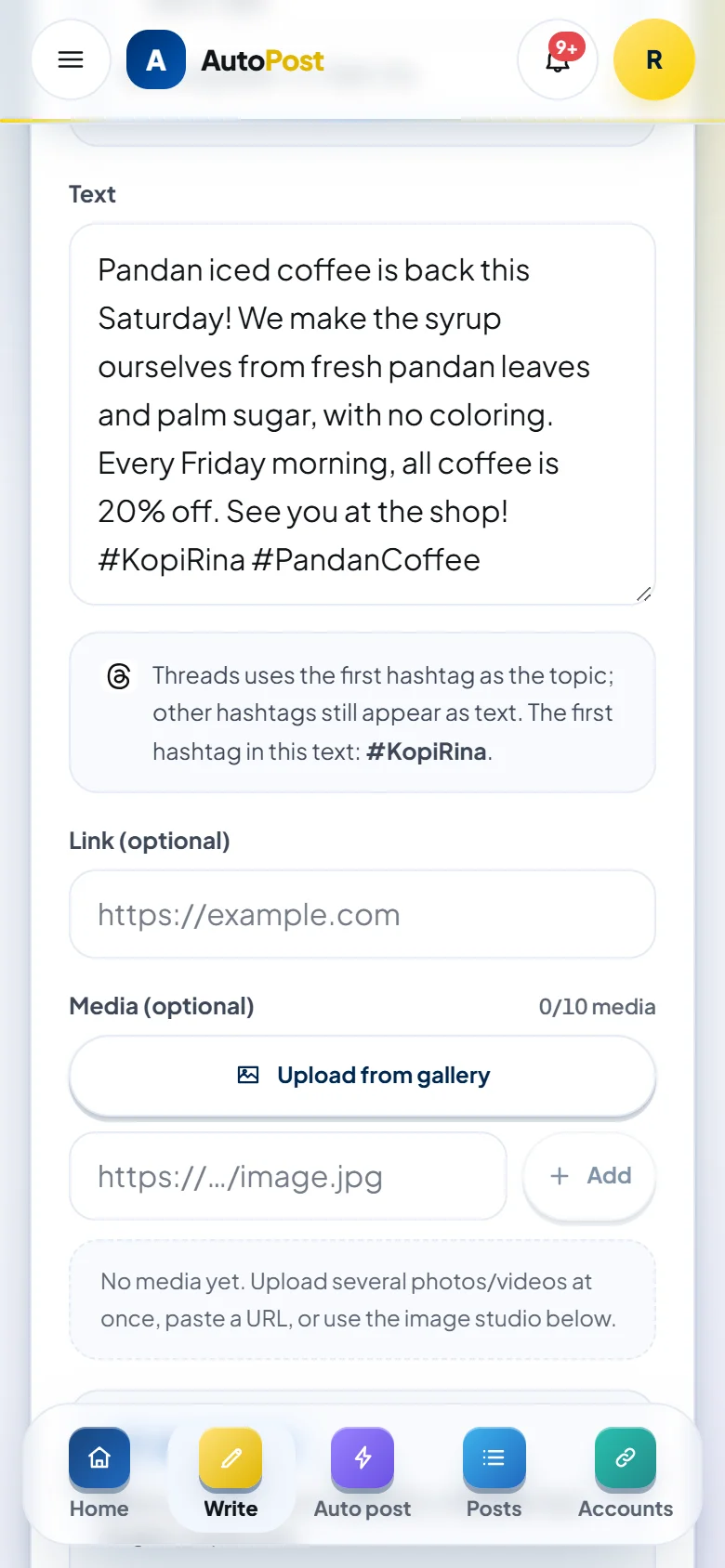
Connect Telegram, X, Pinterest, and your Meta accounts just once. Each channel's steps are covered by an illustrated guide.
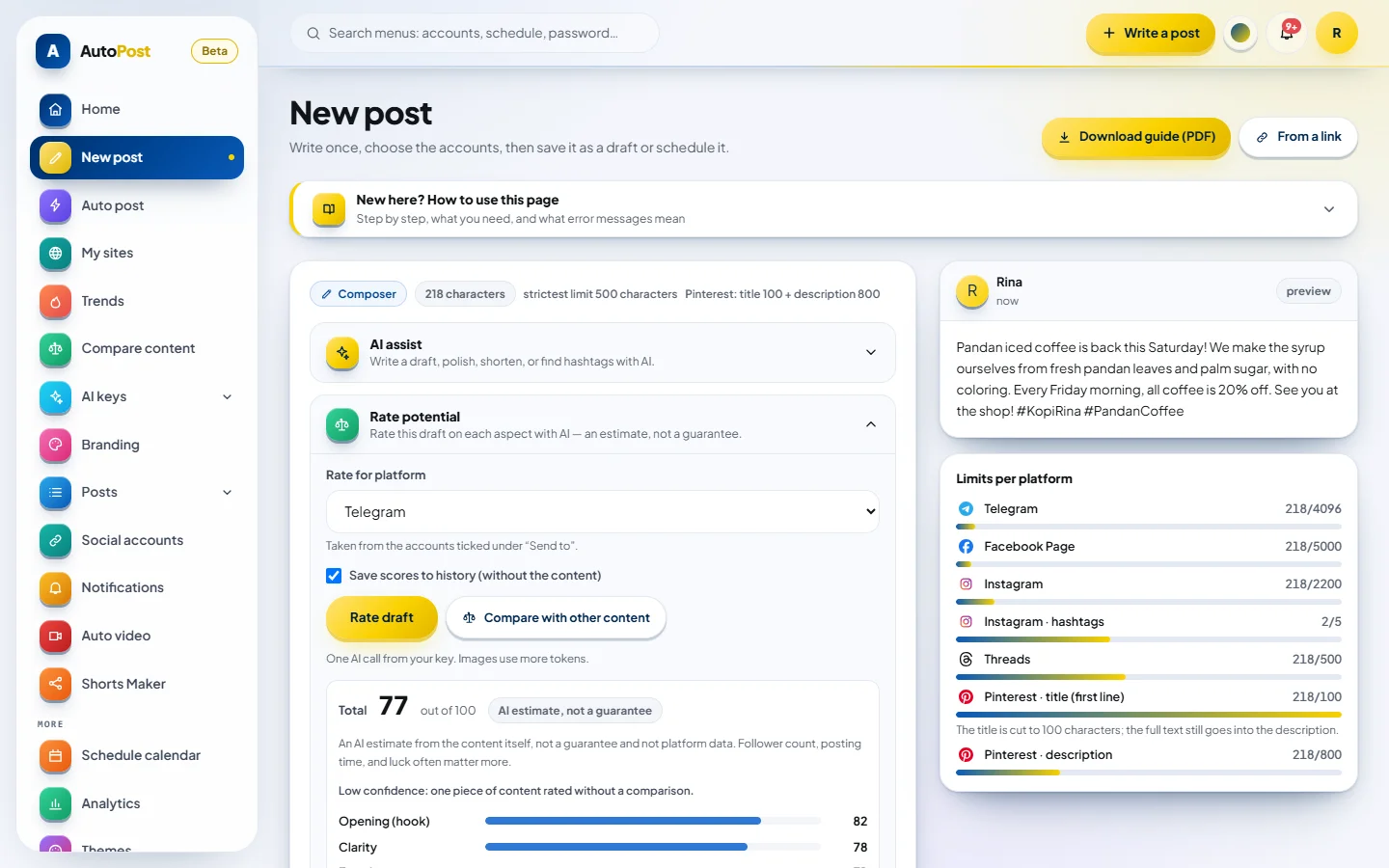
One post for every target account. AI assist polishes your wording, and Rate potential gives an AI estimate, not a guarantee, before sending.
Each account's result is reported separately. Temporary glitches are retried automatically after 1, 5, then 30 minutes.
Try it yourself
No account and no AI. Nothing is sent or saved.
Try adding an emoji or a web address, then watch each channel's count change.
AutoPost preview, not the official look
Text message without an image
AutoPost's careful count: emoji count as longer
Every web address counts as 23 characters
Features
From finding ideas to making sure your posts arrive. Anything marked Beta is ready to try, and we're still polishing it.
AI assist polishes your writing without inventing prices, links, or contacts. Brand voice learns from 3–10 samples. Link to post turns an article into 2–3 variants with sources, and Photo check reviews images first.
Your account name and a call-to-action bar are added to images automatically, and can be turned off per post. No image yet? Create a design card in 1:1, 4:5, 16:9, or 9:16.
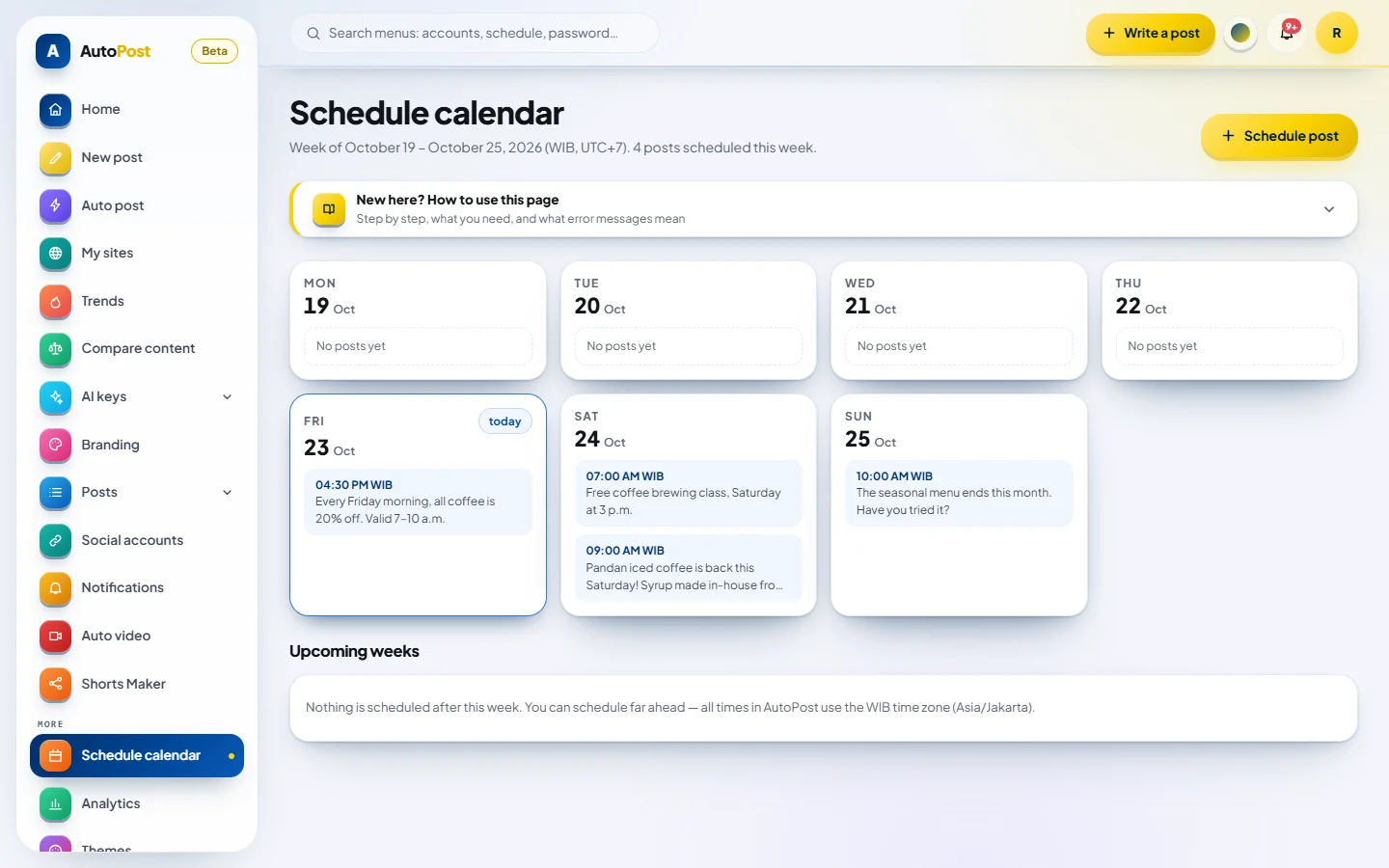
Pick the date and posting time once. Every scheduled post is visible on the calendar, and AutoPost sends it right on time.
Each account's result is reported separately. Temporary glitches are retried automatically after 1, 5, then 30 minutes, and notifications in the app or on your phone tell you when something fails.
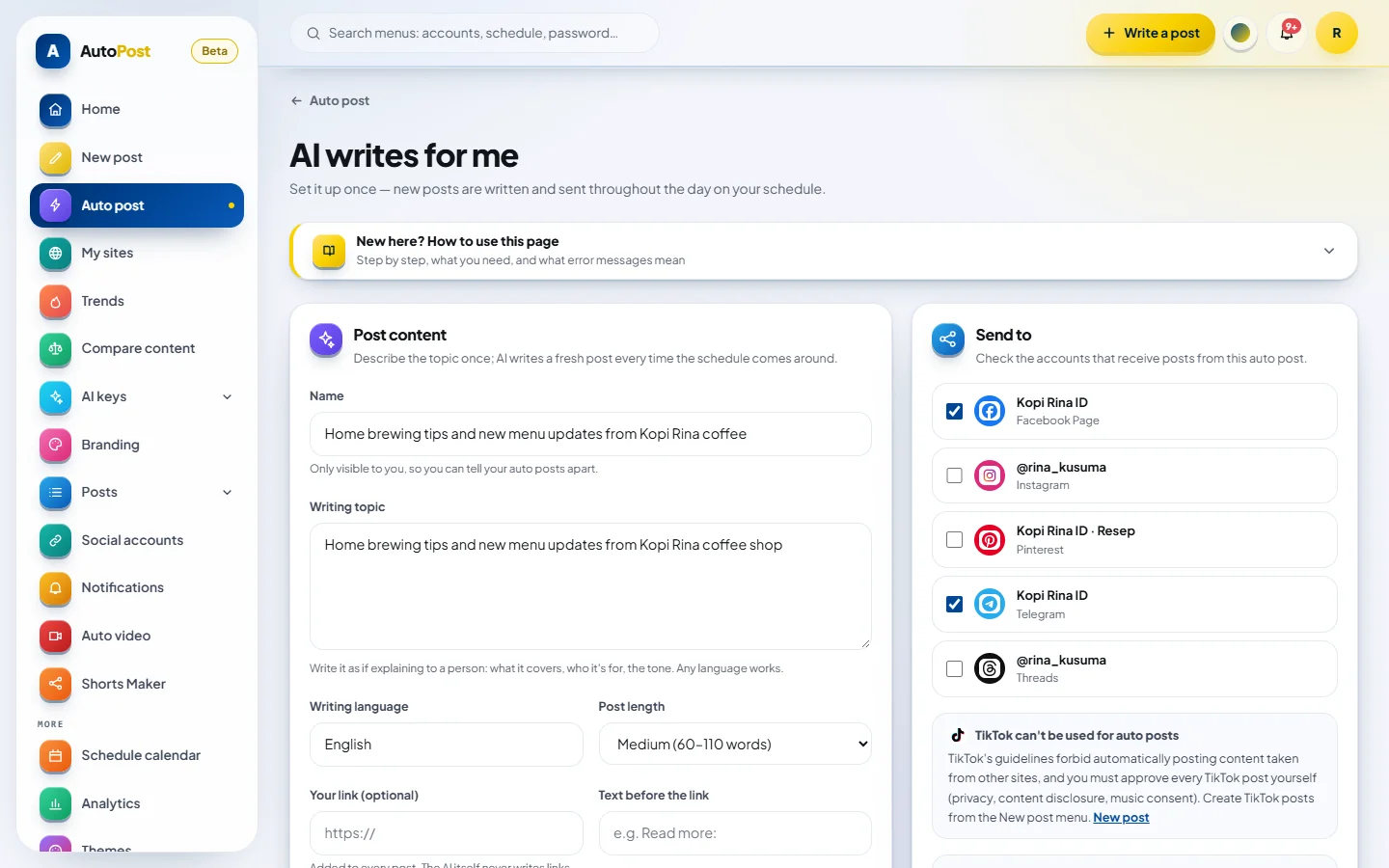
AI drafts 1–24 posts a day from your categories or website, using your own AI key. Pins from auto post go live after you approve them. X, TikTok, and YouTube are not part of auto post.
Content ideas from trends in 11 countries and the holiday calendar, ready to turn into posts. The app has more than 20 color themes, including dark themes.
New · Compare Content
Rate one piece of content, or compare two versions, on six aspects before you post. The Rate potential panel is also in New post.
Paste text, choose a draft, paste an article link, upload images, or grab video frames.
The history keeps only the scores, never the content itself.
It needs a model that can read images. The app recommends Gemini; Qwen, OpenAI, Claude Haiku, and Mistral are in the catalog too.
Sample rating
Sample“Weekend promo: 20% off every coffee on the menu. Valid Saturday and Sunday.”
Both versions use the same photo
Overall score 62/100
AI estimate, not a guarantee
The numbers above are only a sample. Real scores are estimates too: follower count, posting time, and luck often matter more.
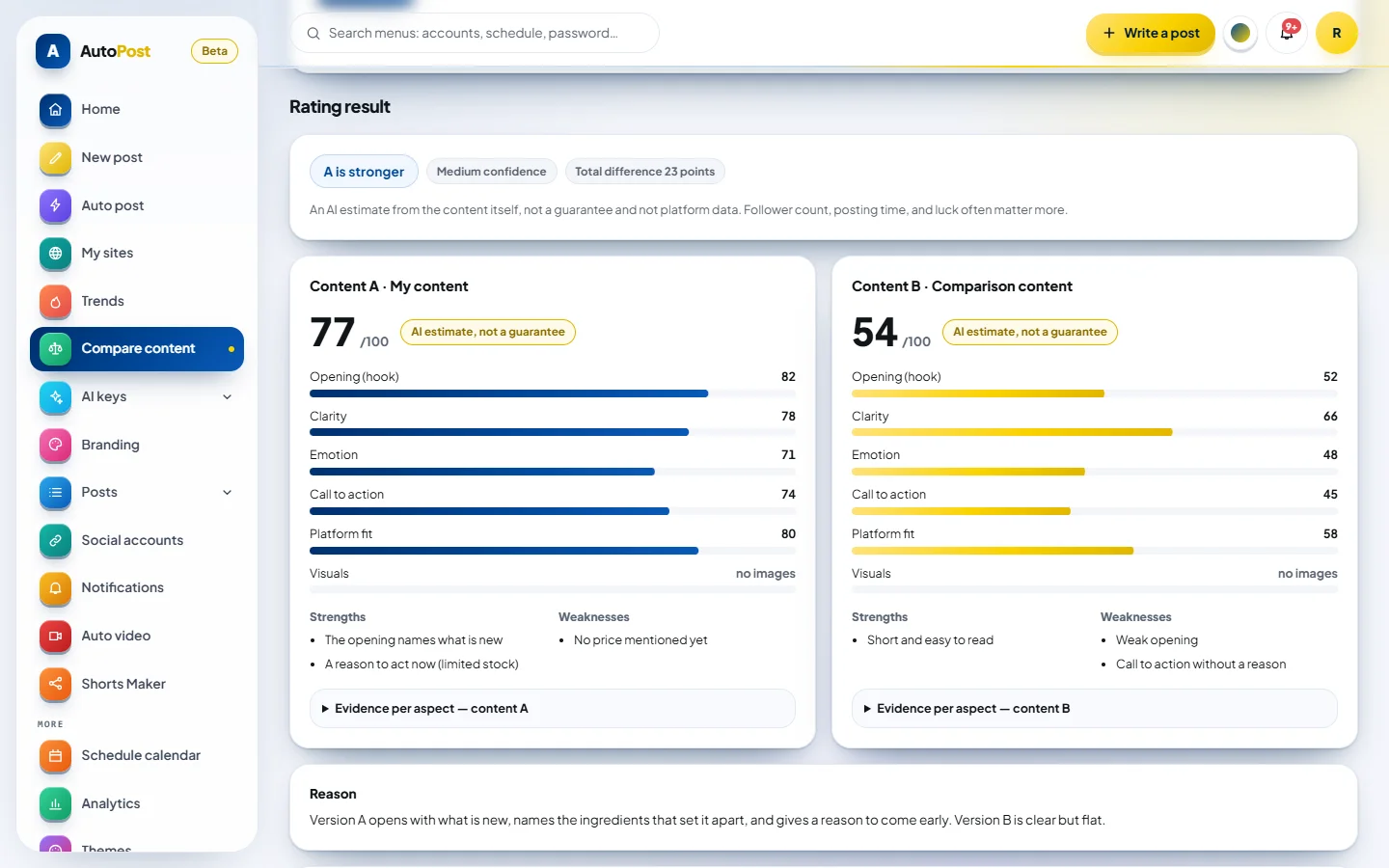
Real screenshot of the Compare Content menuClick the image to enlarge it
Video & Shorts
Two video tools in one app. Both render on your own device, not on a server.
Recordings up to 120 minutes, AI marks 8 scored candidates, then you render up to 5 clips of 10–60 seconds.
Videos of 15, 20, or 30 seconds from an idea, a category, an article link, or your text, with narration in 8 languages.
Posting to TikTok and YouTube Shorts follows each channel's status.
Product tour
Every image is a real screenshot of the AutoPost app. Account names, post content, and schedules in them use sample data.
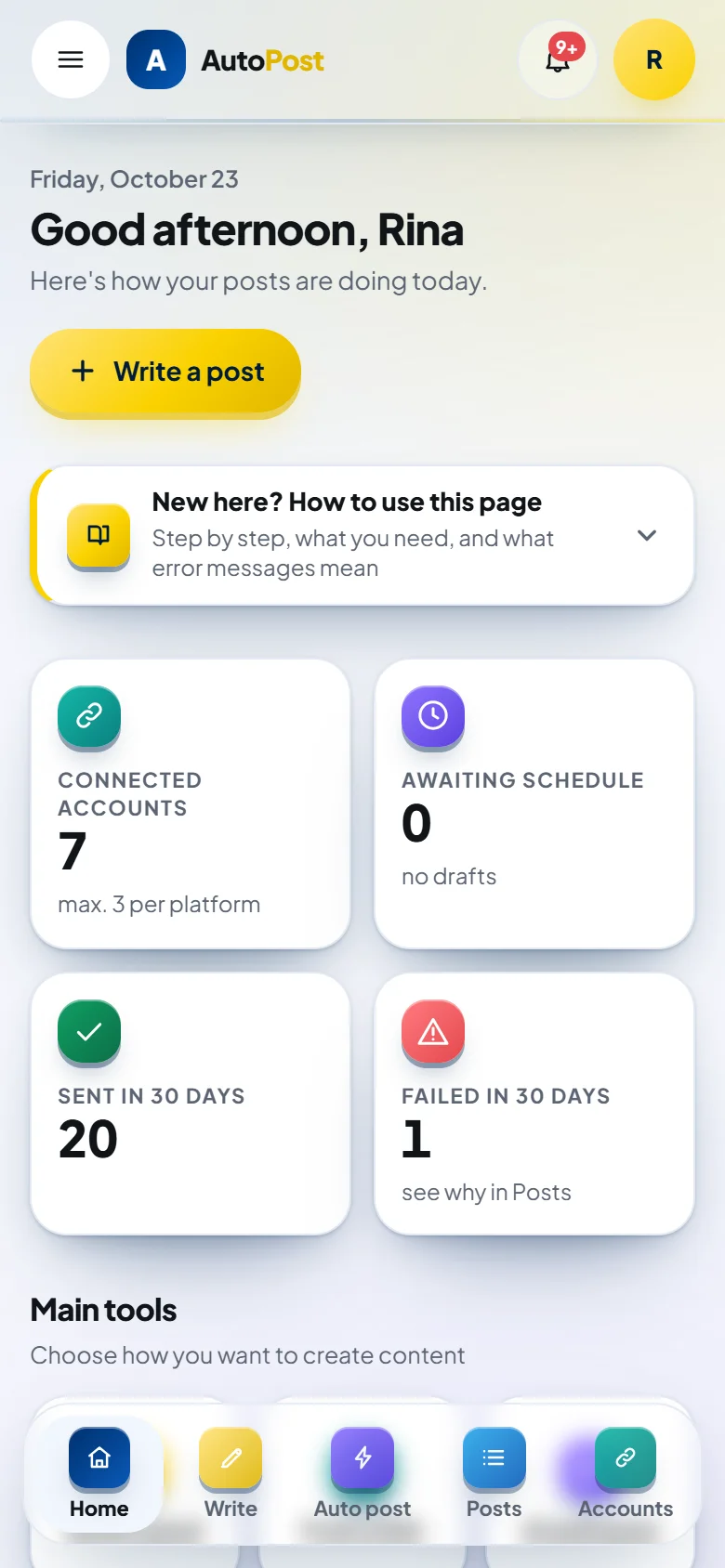
01 / 06
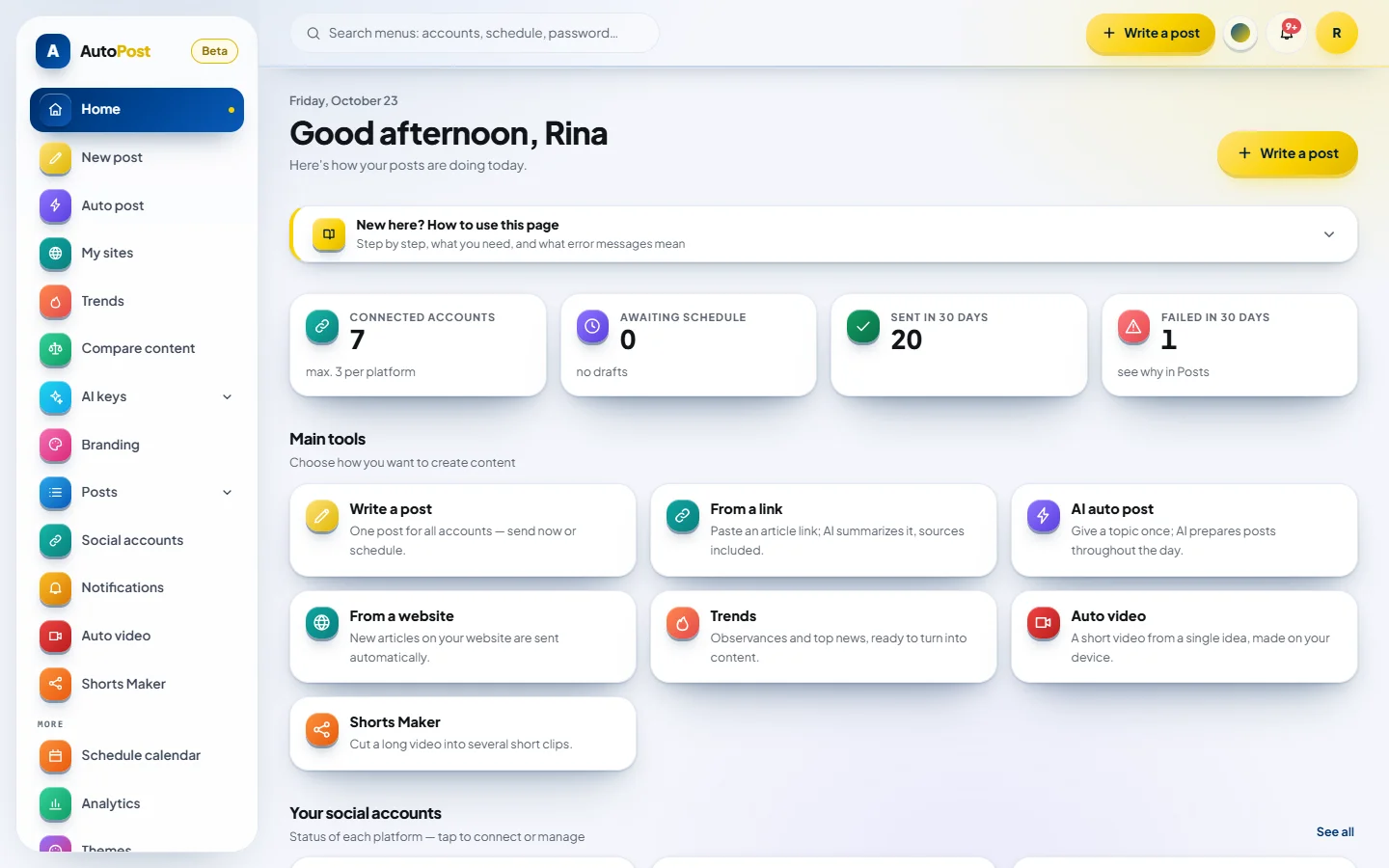
As soon as you sign in, you see which accounts are connected, what is scheduled, and how your latest posts went.
02 / 06
Write once for many accounts. The Rate potential panel scores each aspect with your own AI key. The score is an AI estimate, not a guarantee.
03 / 06
Two versions are rated on six aspects, from the opening to platform fit, with reasons and suggestions for improvement.
04 / 06
Pick a recording of up to 120 minutes from your device. AI marks scored clip candidates, then you choose them and refine the cut points.
05 / 06
Scheduled posts are laid out by day, so empty days and overcrowded hours stand out right away.
06 / 06
Every post is shown with its result on each account: sent, scheduled, or failed.
Your own AI
AI assist, auto post, Compare Content, and video use the AI key you store yourself. AutoPost doesn't charge for AI.
Gemini (recommended to get started), OpenRouter, Groq, OpenAI, Claude, and more, plus a custom OpenAI-compatible endpoint. Set one per task and track usage.
Keys are stored encrypted with AES-256-GCM and never reach the browser. On free tiers, providers may use your requests to train models; for sensitive material, use a paid tier.
Number of auto post planse.g. one for each topic or channel
Estimated per month
±Rp1,856≈ US$0.11
Rp0 while your usage stays within the provider's free allowance.
An estimate, not a bill. Assumptions: paid Gemini 3.1 Flash-Lite pricing of US$0.25 per 1 million input tokens and US$1.50 per 1 million output tokens; ±700 input tokens + 300 output tokens per post (±Rp10 per post); 30 days a month; a fixed exchange rate of Rp16,500 per dollar. Costs are paid directly to the AI provider, not to AutoPost.
Guides
Step-by-step illustrated guides on 11 topics, open without an account or email. Every guide is also a PDF.
Security & privacy
We store as little as possible and give you full control.
Encrypted before they're stored, decrypted only on the server when used, and never sent to the browser in full.
If ads are ever added, they will appear only on the public guide pages, not inside the app.
Access, correct, and request deletion of your personal data under Indonesia's Personal Data Protection Law.
Do it yourself from Settings; social accounts, AI keys, posts, and uploads are deleted immediately.
See how to delete your accountPricing
Every feature that's already available is yours to use without paying and without a credit card.
Rp0/ month
Valid during the trial period. No automatic charge is waiting at the end.
Already have an account?Sign in
8 channels in one composer
Send, schedule, monitor
AI assist & Compare Content
AI auto postbeta
Auto video & Shorts Maker
Branding, design & trends
Limits that apply
Up to 3 accounts per platform. X uses a monthly post quota; YouTube Shorts uses a daily quota during the beta.
AI costs don't go through us
Paid AI keys are billed by the provider directly, roughly Rp10 per post with Gemini 3.1 Flash-Lite. Estimate your cost.
Advanced plans announced in advance
If paid plans come later, we'll let you know beforehand. We won't quietly change free features.
FAQ
Short, honest answers, including about the things we can't do yet.
Can't find your question here? Write to admin@solusikecerdasankomputasi.com.
AutoPost is a web app for writing one post and then sending or scheduling it to several social accounts at once. It includes AI assist, Compare Content, automatic branding on images, a schedule calendar, news trends, AI auto post, as well as auto video and Shorts Maker.
Eight channels: Telegram (channels and groups), X, Facebook Page, Instagram, Threads, Pinterest, and TikTok are ready to use; YouTube Shorts is in beta. Facebook Page, Instagram, and Threads are connected through your own Meta app. Pinterest needs just one permission through AutoPost's own app, and your Pins are published publicly. X uses the official API with a monthly post quota; AutoPost covers the X API costs, and one post goes to only one X account.
How to auto post to a Telegram channelTikTok's Direct Post audit passed on October 13, 2026: public accounts can choose Everyone, and privacy options follow what TikTok offers for your account. YouTube Shorts is in beta: until YouTube's audit passes, YouTube can lock uploaded videos as Private. Neither is included in auto post.
Yes. During the trial period, every available feature can be used without paying, without a credit card, and without automatic charges. If advanced plans come later, we'll announce them in advance, and we won't quietly change free features.
Not for writing, sending, scheduling, branding, or reading trends. An AI key is needed for AI assist, AI auto post, Compare Content, and video. A Gemini key from Google AI Studio with its free allowance is enough to get started; keys from more than 20 other providers can be used too.
Learn about AI auto postYou pay AI costs directly to the AI provider, not to us. For light use, Gemini's free allowance is usually enough. With a paid key, Gemini 3.1 Flash-Lite costs roughly US$0.0006, or about Rp10, per post. The size of the free allowance is set by the provider and can change at any time.
Compare Content rates one piece of content, or compares two versions, on six aspects: opening, clarity, emotion, call to action, platform fit, and visuals. Its scores are AI estimates, not guarantees: follower count, posting time, and luck often matter more. Comparison content isn't stored; the history keeps only the scores.
Yes. Auto video makes 15–30 second videos from an idea, a category, an article link, or text, with narration in 8 languages. Shorts Maker marks 8 scored clip candidates in your recording, up to 120 minutes long, and you pick up to 5 subtitled clips. Everything is rendered on your device.
AutoPost brings everything into one place: one composer for 8 channels, one calendar for all your schedules, a report per account for every post, and automatic retries when a post hits a snag. You can keep using each platform's built-in features alongside it.
AutoPost records the send result per account: sent or failed, along with the cause. Since October 24, 2026 there are also optional post metrics for Facebook Page, Instagram, Threads, and Pinterest: off by default and turned on per account, numbers only from posts sent through AutoPost without their content, kept for up to 400 days and then deleted automatically (Pinterest numbers aren't stored).
Platform tokens and AI keys are encrypted with AES-256-GCM on the server and are never sent to the browser in full. They're only used to send posts on your behalf. We don't sell data, the AutoPost app doesn't run ads, and your account data is never used for advertising. If ads are ever added, they will appear only on the public guide pages, not inside the app.
Read the privacy policyIf the failure is temporary, for example the network or the platform's server is busy, AutoPost retries automatically after 1, 5, then 30 minutes. If the problem persists, for example a revoked token, the cause is recorded right away per account on the Posts page, and you can resend once you've fixed it. Notifications let you know too.
Open Settings, then choose Delete account. Your account, along with your posts, schedules, uploads, social account connections, and stored keys, is deleted immediately and cannot be undone. Messages already published on social platforms stay there; delete them directly on the platform if needed.
See how account deletion worksWe're preparing an Android app. In the meantime, the web version of AutoPost works comfortably on phones and can be installed on your home screen: in Chrome, open the menu and choose Install app or Add to Home screen. If a post fails, AutoPost can also send a notification to your phone.
AutoPost is developed and operated by PT Solusi Kecerdasan Komputasi.
Create an account, connect your channels, then send or schedule. TikTok and YouTube Shorts follow the status of each channel.
No credit card · delete your account anytime